iLoungeiLounge
  • News
    • Apple
      • AirPods Pro
      • AirPlay
      • Apps
        • Apple Music
      • iCloud
      • iTunes
      • HealthKit
      • HomeKit
      • HomePod
      • iOS 13
      • Apple Pay
      • Apple TV
      • Siri
    • Rumors
    • Humor
    • Technology
      • CES
    • Daily Deals
    • Articles
    • Web Stories
  • iPhone
    • iPhone Accessories
  • iPad
  • iPod
    • iPod Accessories
  • Apple Watch
    • Apple Watch Accessories
  • Mac
    • MacBook Air
    • MacBook Pro
  • Reviews
    • App Reviews
  • How-to
    • Ask iLounge
Font ResizerAa
iLoungeiLounge
Font ResizerAa
Search
  • News
    • Apple
    • Rumors
    • Humor
    • Technology
    • Daily Deals
    • Articles
    • Web Stories
  • iPhone
    • iPhone Accessories
  • iPad
  • iPod
    • iPod Accessories
  • Apple Watch
    • Apple Watch Accessories
  • Mac
    • MacBook Air
    • MacBook Pro
  • Reviews
    • App Reviews
  • How-to
    • Ask iLounge
Follow US

How-to

How-to

How to Turn Off Voicemail on iPhone (2024)

Last updated: Dec 31, 2023 11:28 pm UTC
By James Patterson
How to Turn Off Voicemail on iPhone

Voicemail serves as a valuable support system for individuals juggling busy schedules, but its usefulness may not be universally appreciated.


If you find yourself among those who prefer to handle missed calls rather than deal with recorded messages, we’ve got you covered with an extensive guide on how to turn off voicemail on your iPhone.
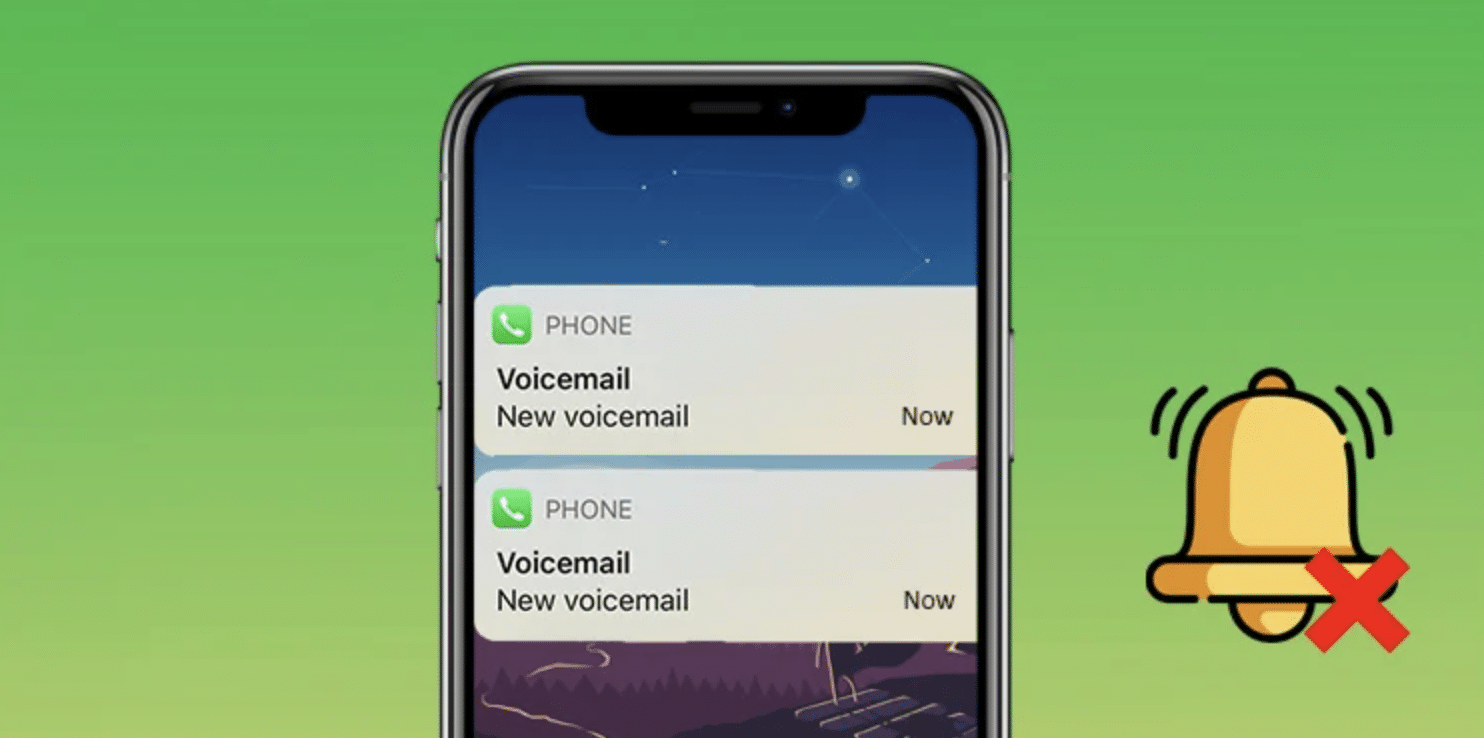
How to Turn Off Voicemail on iPhone

Whether you’re seeking a quick and straightforward solution or exploring alternative methods, this comprehensive article will provide you with step-by-step instructions to disable voicemail and customize your phone settings to align with your preferences.
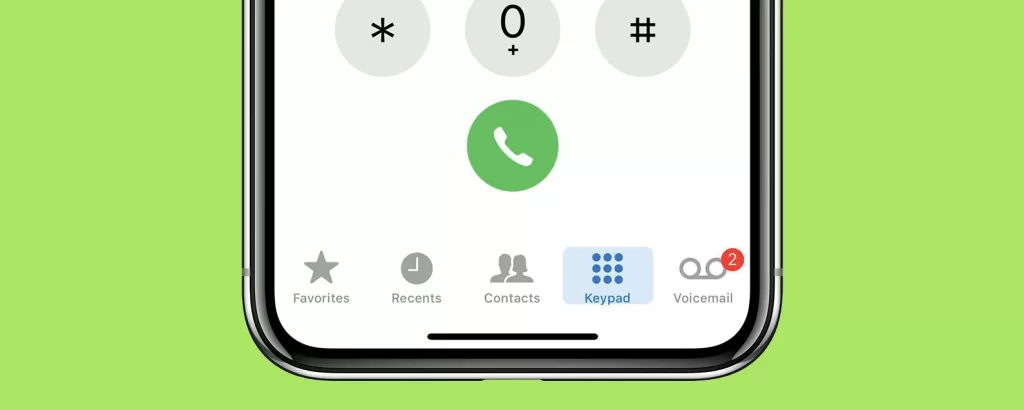
Voicemail on iPhone

Say goodbye to voicemail interruptions and take full control of your iPhone experience in 2023.


Method 1: How to Turn Off Voicemail on iPhone with a MMI Code

Find your mailbox number

  • Launch the Phone app and go to the Keypad tab.
  • Type *#61# and tap the dial button.
  • Note down the mailbox number and dismiss the prompt.

Turn on call forwarding
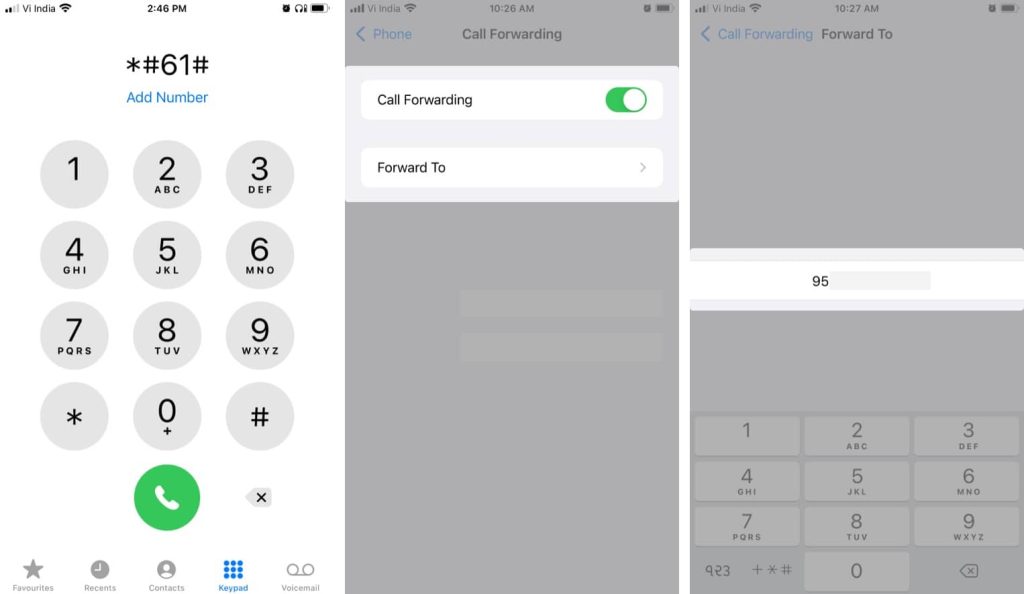
Turn on call forwarding
  • Go to Settings, then select Phone, and tap on Call Forwarding.
  • Toggle on Call Forwarding and enter the mailbox number.
  • Exit the menu to save the changes.

Turn Off Voicemail on iPhone
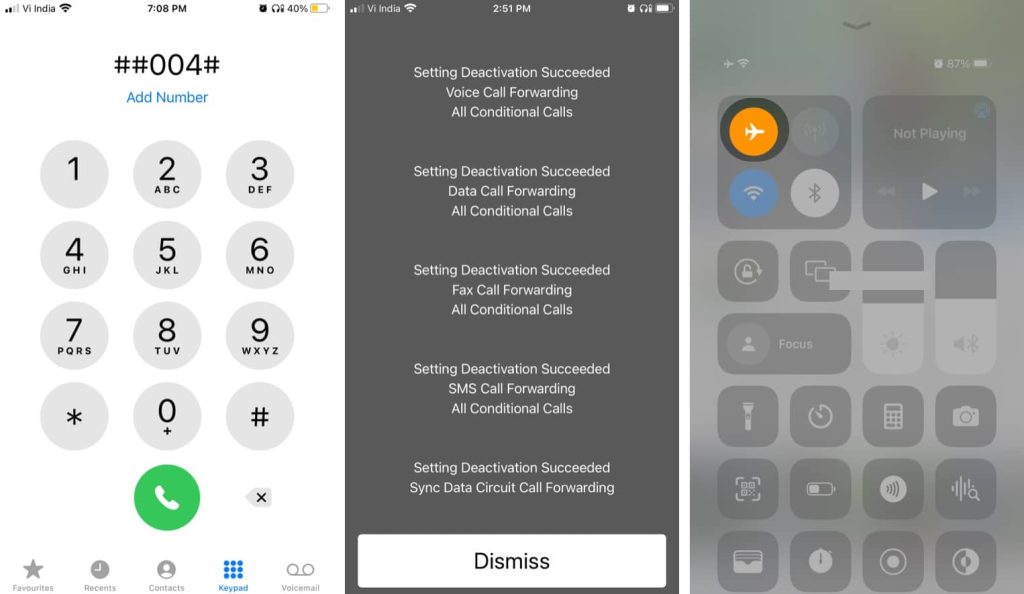
Turn off iPhone voicemall
  • Open the Phone app and go back to the Keypad tab.
  • Type in ##004# and dial the number.
  • You’ll see a confirmation message for voicemail deactivation.
  • Dismiss the prompt and check if voicemail is disabled in Airplane Mode.

Method 2: Contacting your Service Provider

Reach out to customer service:

  • Look up the contact number of your service provider.
  • Here are the numbers for popular US carriers:
  • T-Mobile: 1-877-453-1304
  • Verizon: 1-800-922-0204
  • AT&T: 1-800-331-0500
  • Sprint: 888-211-4727

Method 3: Fill up your Voicemail Space

  1. Enable Airplane Mode:
    • Turn on Airplane Mode on your iPhone.
  2. Fill up the voicemail:
    • Continuously call your own number and leave voicemails until your mailbox is full.
    • The voicemail limit may vary based on your service provider.
    • Once the mailbox is full, you won’t receive any more voicemails.

Conclusion

If you want to permanently deactivate voicemail, contacting your service provider is the best option. For temporary deactivation, use the MMI code method. Reactivate voicemail by dialing ##004# or contacting your service provider. If you opted for the storage fill method, delete all voicemail messages to free up space instantly.


TAGGED: iPhone, Voicemail
Latest News
The Baseus 100W 3-Port USB-C Charger Is 66% Off
1 Min Read
Rivian Releases Apple Watch App
1 Min Read
macOS 26.3 Hints at 3 Upcoming Apple Products
1 Min Read
iPhone 18 Pro and Pro Max Coming in Red
1 Min Read
The M5 iPad Pro 512GB is $199 Off
1 Min Read
M1 MacBook Air Out Of Stock At Walmart Website
1 Min Read
EverPass and Apple TV Reach Deal Bringing Sporting Content To Bars And Other Places
1 Min Read
C1X Modem of Apple is the First Reported Failure for iPhone Air
1 Min Read
The iPhone Air MagSafe Battery Is $20 Off
1 Min Read
Meta Releasing Smartwatch
1 Min Read
The 2026 Major League Soccer Season Is Near
1 Min Read
Quality of Life Updates For Chrome Added
1 Min Read

iLounge logo

iLounge is an independent resource for all things iPod, iPhone, iPad, and beyond. iPod, iPhone, iPad, iTunes, Apple TV, and the Apple logo are trademarks of Apple Inc.

This website is not affiliated with Apple Inc.
iLounge © 2001 - 2025. All Rights Reserved.
  • Contact Us
  • Submit News
  • About Us
  • Forums
  • Privacy Policy
  • Terms Of Use
Welcome Back!

Sign in to your account

Lost your password?