iLoungeiLounge
  • News
    • Apple
      • AirPods Pro
      • AirPlay
      • Apps
        • Apple Music
      • iCloud
      • iTunes
      • HealthKit
      • HomeKit
      • HomePod
      • iOS 13
      • Apple Pay
      • Apple TV
      • Siri
    • Rumors
    • Humor
    • Technology
      • CES
    • Daily Deals
    • Articles
    • Web Stories
  • iPhone
    • iPhone Accessories
  • iPad
  • iPod
    • iPod Accessories
  • Apple Watch
    • Apple Watch Accessories
  • Mac
    • MacBook Air
    • MacBook Pro
  • Reviews
    • App Reviews
  • How-to
    • Ask iLounge
Font ResizerAa
iLoungeiLounge
Font ResizerAa
Search
  • News
    • Apple
    • Rumors
    • Humor
    • Technology
    • Daily Deals
    • Articles
    • Web Stories
  • iPhone
    • iPhone Accessories
  • iPad
  • iPod
    • iPod Accessories
  • Apple Watch
    • Apple Watch Accessories
  • Mac
    • MacBook Air
    • MacBook Pro
  • Reviews
    • App Reviews
  • How-to
    • Ask iLounge
Follow US

How-to

How-to

How to charge the iPhone 12 and iPhone 12 Pro

Last updated: Oct 26, 2020 12:01 pm UTC
By James Patterson
iPhone 12 charging

In this article, we at iLounge will guide you on how to charge the iPhone 12 and iPhone 12 Pro.


Charge the iPhone 12 and iPhone 12 Pro

If you just but the iPhone 12, then you must be wondering how can you charge your new phone when no power adopter was in the box. Sadly, Apple decided not to include a power adopter with the iPhone 12.

iPhone 12 charging

So we have a few options to get your iPhone 12 charged till you get a power adopter or wireless charger for it:

1. Use your previous iPhone charger

Charging an iPhone with the Lightning cable

That’s right, your new iPhone 12 can also be charged with your previous iPhone charger.


2. Use your MacBook

MacBook USB-C charging socket

Connect the USB-C to Lightning cable that came in the box with the iPhone 12 to your MacBook. Old MacBooks may not support USB-C cables, so if your MacBook supports USB-C, you could go with this option.

3. Use a wireless charger

Belkin 3 in 1 charger

The iPhone 12 also supports wireless charging. So if you got a wireless charger for your previous phone, you could just use that.

Buy an adopter or a wireless charger

While the options we listed are temporarily solutions and may not be suitable for you, you may consider buying a power adopter or a wireless charger for it.


I personally bought the Belkin 3 in 1 wireless charger for my iPhone 12 Pro. It made charging very easy as I don’t have to plug in my phone always.

Belkin 3 in 1 wireless charger

Preview Product Price
Belkin 3-in-1 Fast wireless charging Stand for iphone, Apple Watch & AirPods - iphone Case Compatible Qi Charger - charging Station For Multiple Devices - White Belkin 3-in-1 Fast wireless charging Stand for iphone, Apple Watch & AirPods - iphone Case... Buy on Amazon

I would honestly recommend getting the Belkin 3 in 1 wireless charger as I have no regrets in getting one for myself. It charges my iPhone 12 Pro, Apple Watch Series 6, and AirPods Pro all together really well.

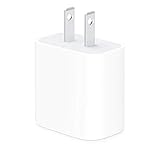
USB-C Power Adapter

Preview Product Price
Apple 20W USB-C Power Adapter - iPhone Charger with Fast Charging Capability, Type C Wall Charger Apple 20W USB-C Power Adapter - iPhone Charger with Fast Charging Capability, Type C Wall Charger Buy on Amazon

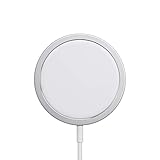
MagSafe Charger by Apple

Apple has released a special MagSafe charger for the iPhone 12 models. It a wireless charger which you might want to consider.
Preview Product Price
Apple MagSafe Charger - Wireless Charger with Fast Charging Capability, Compatible with iPhone and AirPods Apple MagSafe Charger - Wireless Charger with Fast Charging Capability, Compatible with iPhone and... Buy on Amazon

Latest News
The Baseus 100W 3-Port USB-C Charger Is 66% Off
1 Min Read
Rivian Releases Apple Watch App
1 Min Read
macOS 26.3 Hints at 3 Upcoming Apple Products
1 Min Read
iPhone 18 Pro and Pro Max Coming in Red
1 Min Read
The M5 iPad Pro 512GB is $199 Off
1 Min Read
M1 MacBook Air Out Of Stock At Walmart Website
1 Min Read
EverPass and Apple TV Reach Deal Bringing Sporting Content To Bars And Other Places
1 Min Read
C1X Modem of Apple is the First Reported Failure for iPhone Air
1 Min Read
The iPhone Air MagSafe Battery Is $20 Off
1 Min Read
Meta Releasing Smartwatch
1 Min Read
The 2026 Major League Soccer Season Is Near
1 Min Read
Quality of Life Updates For Chrome Added
1 Min Read

iLounge logo

iLounge is an independent resource for all things iPod, iPhone, iPad, and beyond. iPod, iPhone, iPad, iTunes, Apple TV, and the Apple logo are trademarks of Apple Inc.

This website is not affiliated with Apple Inc.
iLounge © 2001 - 2025. All Rights Reserved.
  • Contact Us
  • Submit News
  • About Us
  • Forums
  • Privacy Policy
  • Terms Of Use
Welcome Back!

Sign in to your account

Lost your password?