iLoungeiLounge
  • News
    • Apple
      • AirPods Pro
      • AirPlay
      • Apps
        • Apple Music
      • iCloud
      • iTunes
      • HealthKit
      • HomeKit
      • HomePod
      • iOS 13
      • Apple Pay
      • Apple TV
      • Siri
    • Rumors
    • Humor
    • Technology
      • CES
    • Daily Deals
    • Articles
    • Web Stories
  • iPhone
    • iPhone Accessories
  • iPad
  • iPod
    • iPod Accessories
  • Apple Watch
    • Apple Watch Accessories
  • Mac
    • MacBook Air
    • MacBook Pro
  • Reviews
    • App Reviews
  • How-to
    • Ask iLounge
Font ResizerAa
iLoungeiLounge
Font ResizerAa
Search
  • News
    • Apple
    • Rumors
    • Humor
    • Technology
    • Daily Deals
    • Articles
    • Web Stories
  • iPhone
    • iPhone Accessories
  • iPad
  • iPod
    • iPod Accessories
  • Apple Watch
    • Apple Watch Accessories
  • Mac
    • MacBook Air
    • MacBook Pro
  • Reviews
    • App Reviews
  • How-to
    • Ask iLounge
Follow US

How-to › Ask iLounge

Ask iLounge

Airplane Mode: Its Purpose and Proper Use

Last updated: Jun 1, 2023 8:23 am UTC
By James Patterson
Airplane Mode on an iPhone

Airplane Mode, also known as Flight Mode, is a feature available on smartphones and other mobile devices. Its purpose is to disable Bluetooth, Wi-Fi, cellular, and data connections that could interfere with airplane equipment. This article explores Airplane Mode’s functionality and usefulness in various scenarios.


Enabling and Disabling Airplane Mode
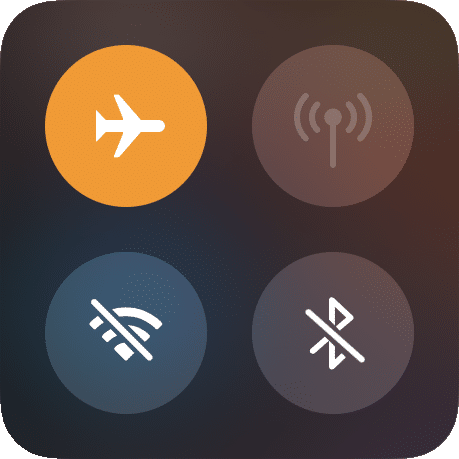
Airplane Mode icon

Activating Airplane Mode is simple: tap the Airplane icon on Android or iOS devices. You’ll see an airplane icon in the notification bar. Remember that it doesn’t permanently disable Bluetooth and Wi-Fi. You can reactivate them within Airplane Mode by tapping the relevant icons in the notification shade or Control Center.
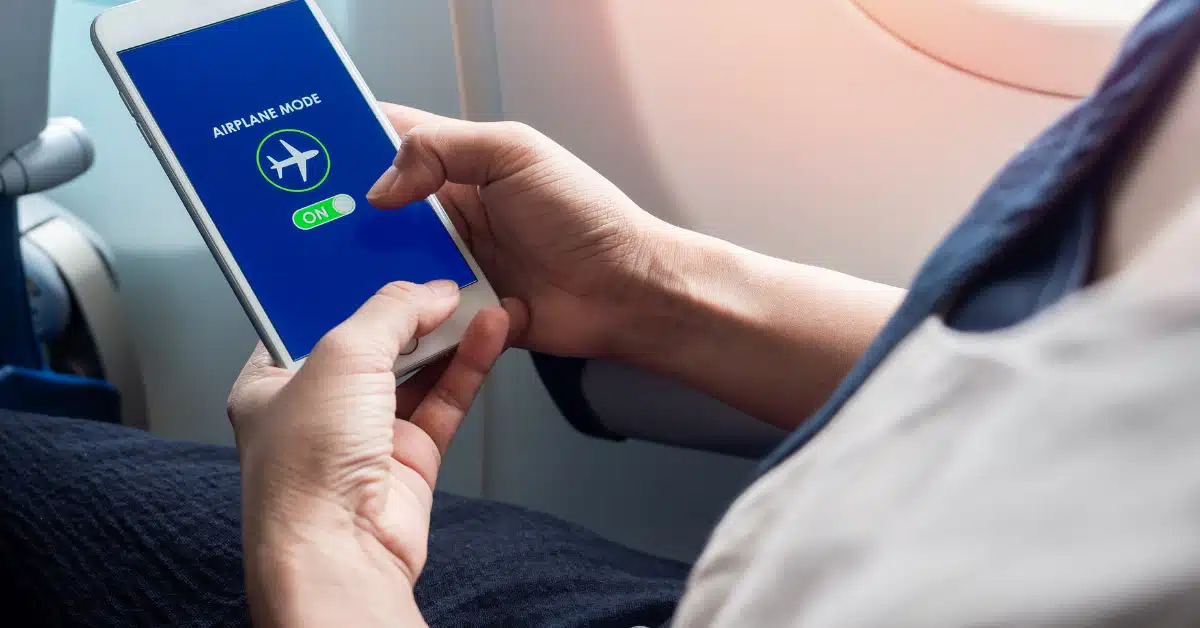
Airplane Mode on an iPhone

Using Bluetooth and Wi-Fi

In 2013, the US Federal Aviation Administration expanded the use of personal electronics during flights, allowing Bluetooth connectivity for devices like headphones. Wi-Fi usage is also permitted if supported by the aircraft. However, regulations may vary, so it’s essential to check with the airline or country guidelines.


Other Uses for Airplane Mode
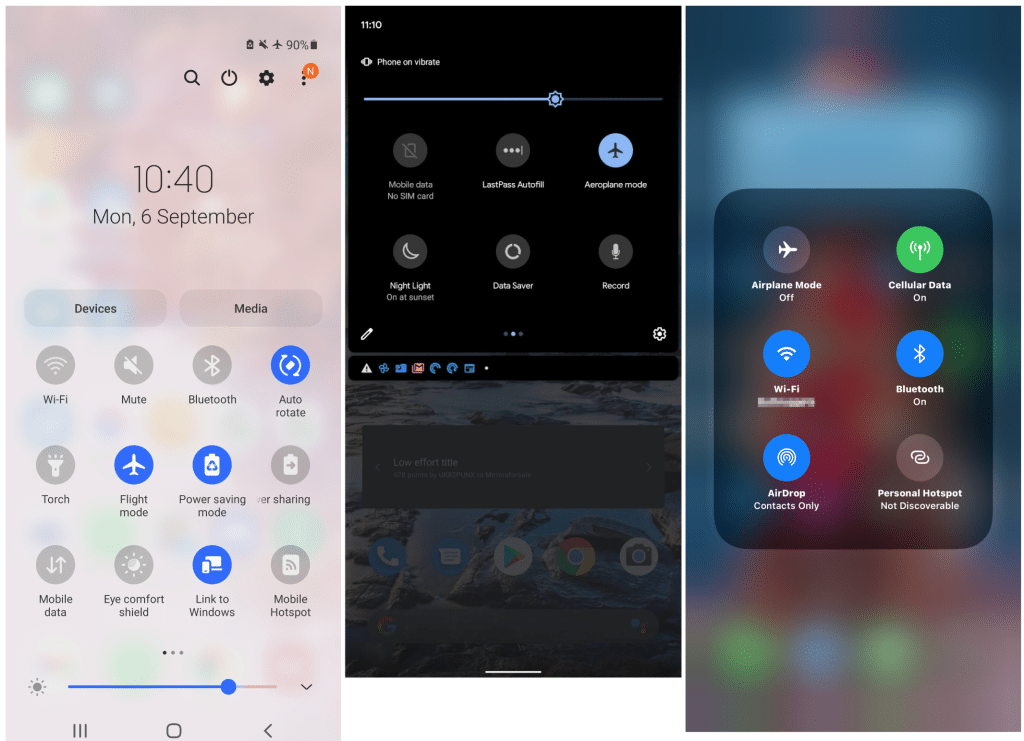
View mode option on apple

Airplane Mode has additional benefits beyond flights:

  1. Battery Saving: Activate the network disconnection feature to save battery when facing weak or inconsistent network signals.
  2. Disturbance-Free Mode: Utilize the disturbance-free feature before bedtime to prevent disturbances from texts or emails, while still permitting alarm functionality.
  3. Extended Battery Life: Engage the low-power mode to conserve battery life when you’re not expecting any calls or messages. It can also potentially speed up device charging.
  4. Reducing Radiation: The no-signal mode helps to decrease cellular signal emissions, thus reducing potential exposure to radiofrequency (RF) energy radiation.
  5. Limiting Data Usage: When traveling overseas without a data roaming plan, using the disconnection feature avoids unintentional data costs. By selectively using Wi-Fi, you can evade international charges. This feature can also manage data consumption at home, preventing automatic downloads or updates without Wi-Fi.

Conclusion

Airplane Mode offers various advantages beyond flights. It optimizes battery life, ensures uninterrupted sleep, reduces radiation exposure, and limits data usage. Be sure to check specific airline and country regulations to make the most of it and enhance your mobile device experience.

TAGGED: Airplane Mode
Latest News
The Baseus 100W 3-Port USB-C Charger Is 66% Off
1 Min Read
Rivian Releases Apple Watch App
1 Min Read
macOS 26.3 Hints at 3 Upcoming Apple Products
1 Min Read
iPhone 18 Pro and Pro Max Coming in Red
1 Min Read
The M5 iPad Pro 512GB is $199 Off
1 Min Read
M1 MacBook Air Out Of Stock At Walmart Website
1 Min Read
EverPass and Apple TV Reach Deal Bringing Sporting Content To Bars And Other Places
1 Min Read
C1X Modem of Apple is the First Reported Failure for iPhone Air
1 Min Read
The iPhone Air MagSafe Battery Is $20 Off
1 Min Read
Meta Releasing Smartwatch
1 Min Read
The 2026 Major League Soccer Season Is Near
1 Min Read
Quality of Life Updates For Chrome Added
1 Min Read

iLounge logo

iLounge is an independent resource for all things iPod, iPhone, iPad, and beyond. iPod, iPhone, iPad, iTunes, Apple TV, and the Apple logo are trademarks of Apple Inc.

This website is not affiliated with Apple Inc.
iLounge © 2001 - 2025. All Rights Reserved.
  • Contact Us
  • Submit News
  • About Us
  • Forums
  • Privacy Policy
  • Terms Of Use
Welcome Back!

Sign in to your account

Lost your password?